The Settings page is where you control your advisor profile and your onboarding experience. These settings affect usability, client trust, and how quickly you can get your vault workflow running without support tickets.
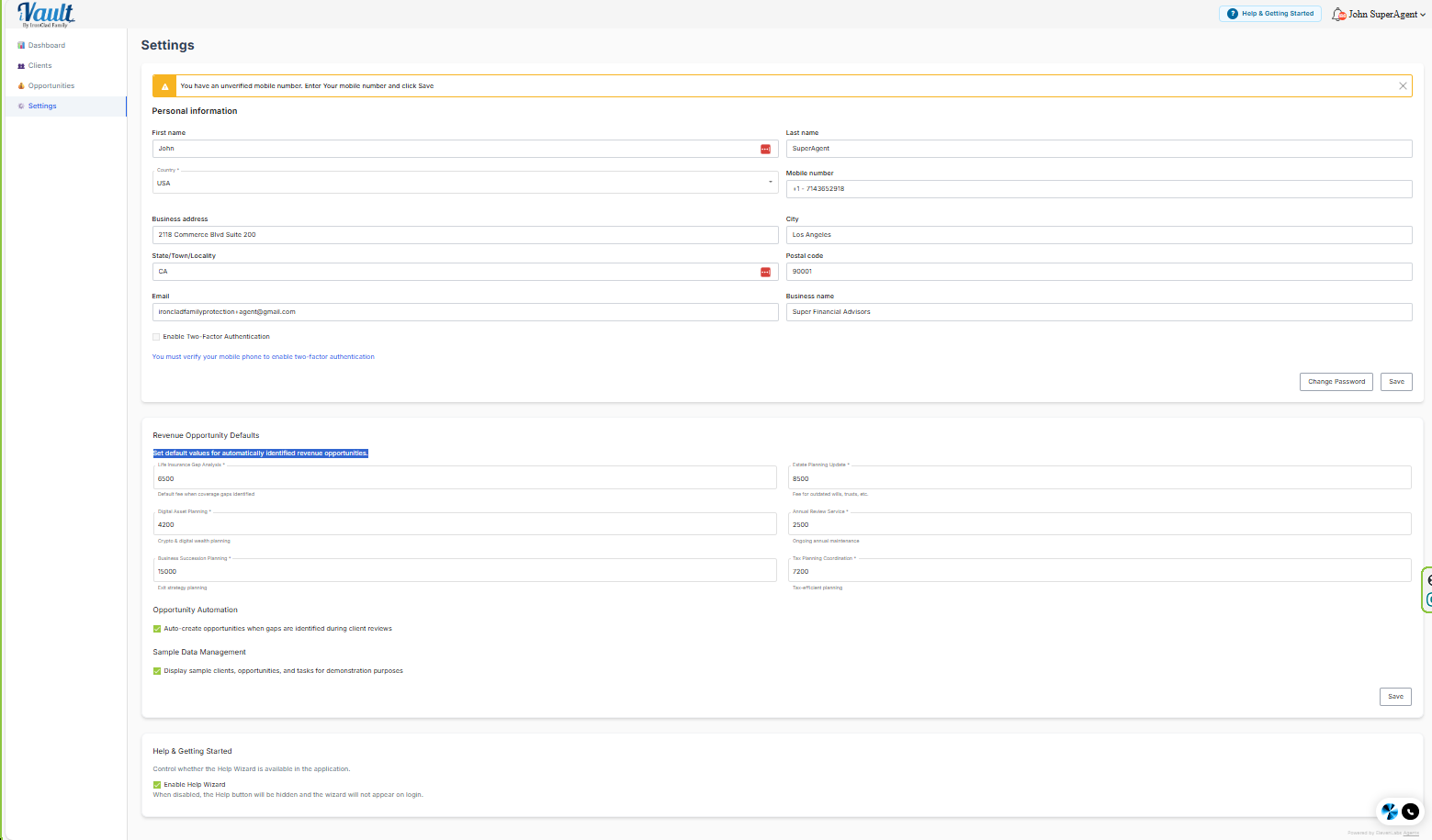
What’s in Settings
- Advisor Profile – your contact details and how your account identifies you
- Revenue Opportunity Defaults– set values for opportunities based on your business model. Enable demo data or clear it permanently
- Help & Onboarding – control the welcome guide and the Help button
Recommended setup order
- Confirm whether you are in Sample Data Mode
- Update Advisor Profile
- Set Help & Onboarding preferences (keep the help button visible)
- If onboarding real clients now: clear sample data and begin adding clients
Related articles
Was this article helpful?
That’s Great!
Thank you for your feedback
Sorry! We couldn't be helpful
Thank you for your feedback
Feedback sent
We appreciate your effort and will try to fix the article