IronClad Family shows client progress so you can intervene early instead of discovering problems later. This article explains what the indicators mean and how to use them as a simple client management system.
What you see in the Clients list
- Week: where they are in the journey
- Progress (%): how complete the vault setup is
- Status: a simple indicator of momentum (for example: Excellent / On Track / Needs Attention)
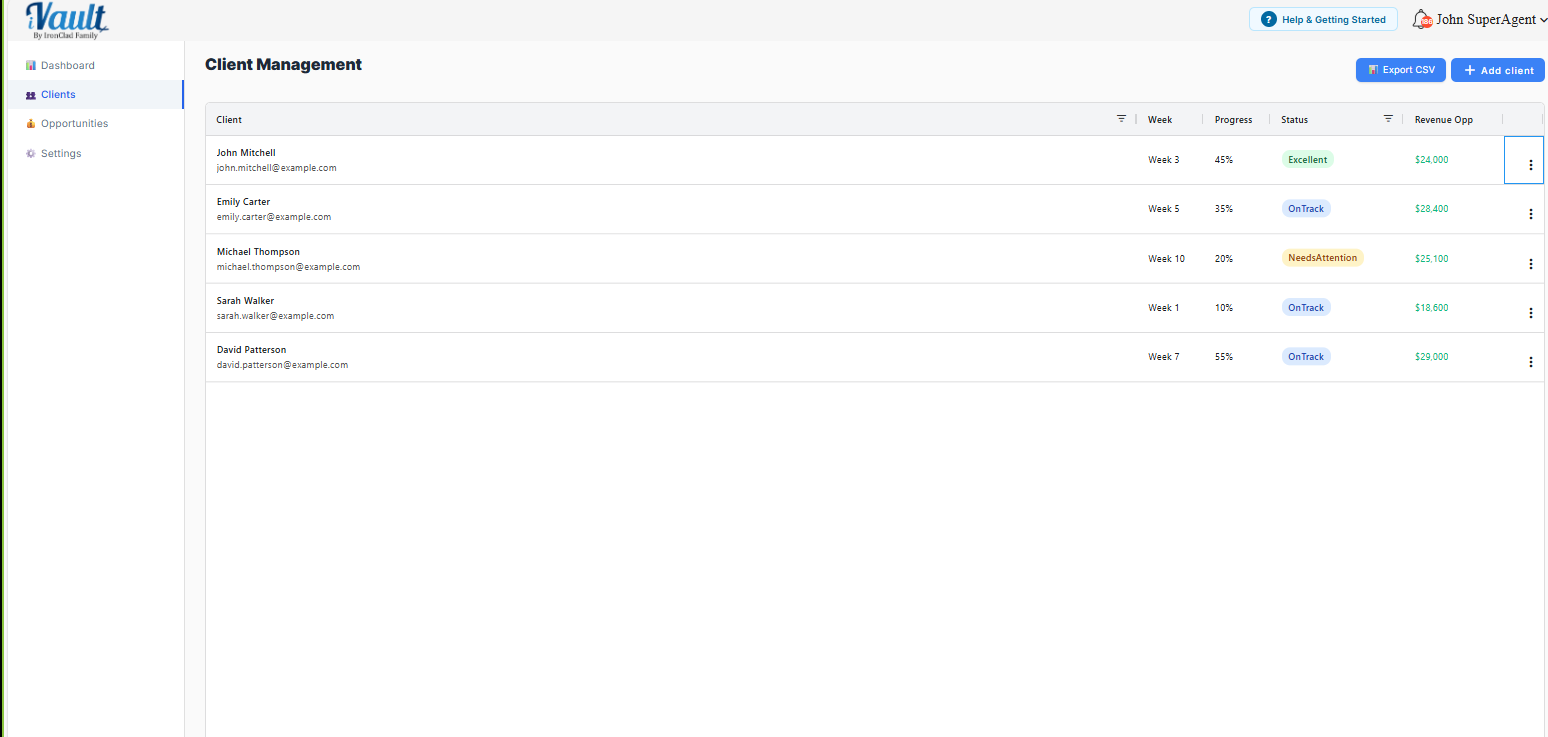
Progress % measures how much is filled in — not whether it will reach anyone. A client can show high progress and still have a vault that delivers nothing, because filling in records and assigning them to a vault are two separate steps. Read Progress % as “how much work is done,” not “how protected they are.” The checks below close that gap.
Intervention rules (use these to reduce churn)
Needs Attention — don't ignore it.
- Action: outreach within 48 hours
- Goal: remove friction — offer concierge help, book a 15-minute completion call
Week 3+ and still low progress
- Action: schedule a completion call
- Goal: get the vault to “operational,” not perfect
High progress, but records aren't assigned to a vault
- Action: treat as urgent. A record that isn't assigned to any vault reaches no one, no matter how complete it looks. Open the client's records and assign anything reading “Not assigned to any vault yet.”
High progress, but no recipients or delivery set
- Action: treat as urgent. A vault without recipients or a delivery condition can't reach anyone either — it isn't “complete” until both are set.
A vault only works when all three are true: records assigned to it, recipients on it, and a delivery condition set. Progress % can look high while any one of the three is missing — so on your highest-progress clients, verify the finish, don't assume it.
Recommended advisor cadence
- Review the Clients list weekly
- Call the bottom 5 by progress
- Convert stalled clients to concierge assistance
- On your top few by progress, spot-check that records are assigned, recipients are set, and delivery is configured — the “almost done” clients are the ones whose gaps hide behind a high number
Related Articles
Was this article helpful?
That’s Great!
Thank you for your feedback
Sorry! We couldn't be helpful
Thank you for your feedback
Feedback sent
We appreciate your effort and will try to fix the article