Use this guide to add an opportunity quickly and consistently. Consistency is more important than perfection.
When you should create an opportunity
- Any time you spot a planning gap that should lead to a paid conversation or deliverable
- Any time a client mentions a time-sensitive need (upcoming retirement, new baby, relocation, divorce, inheritance)
- Any time you see missing or outdated documents that trigger planning work
How to add an opportunity
- Go to Opportunities from the top navigation.
- Click + Add Opportunity.
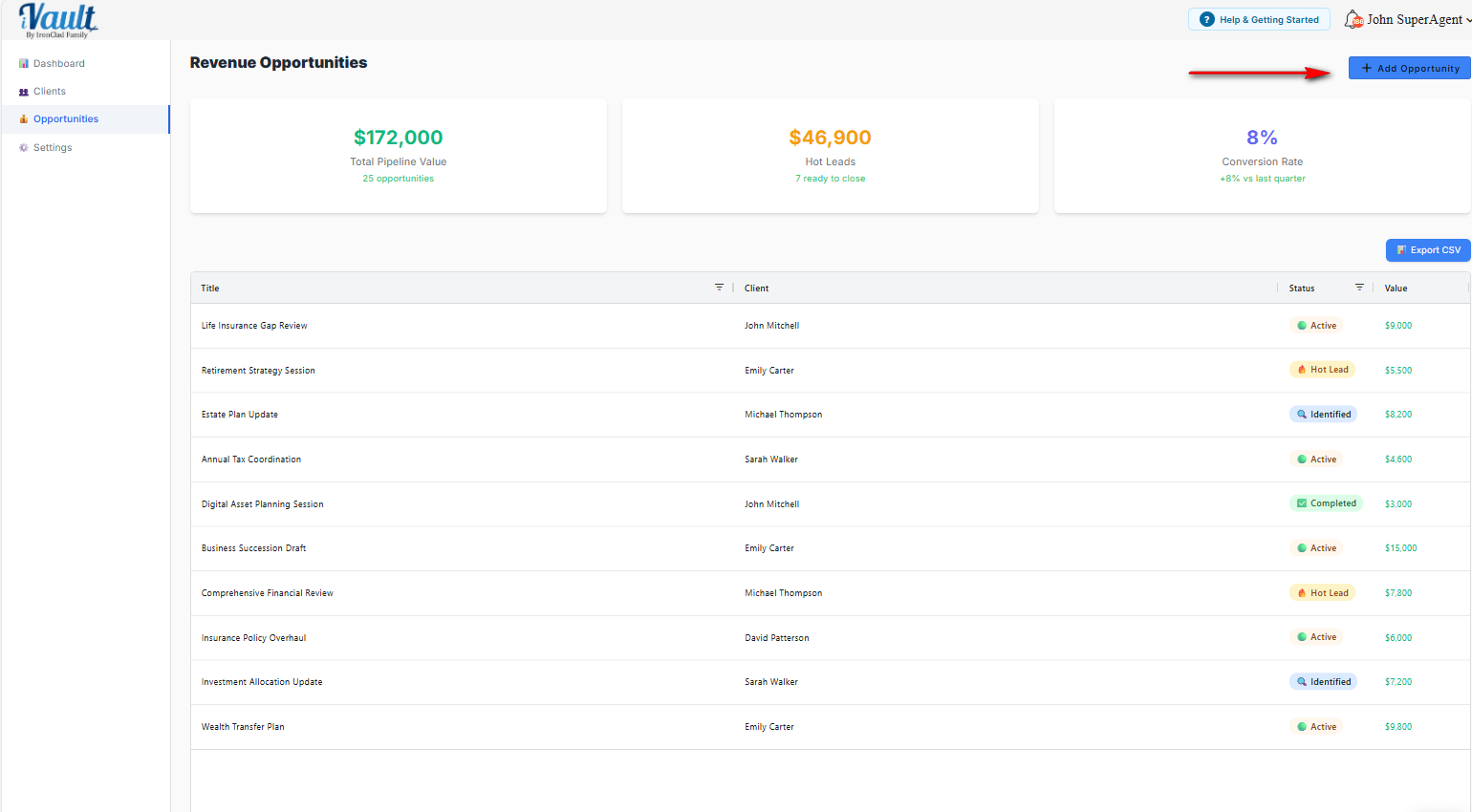
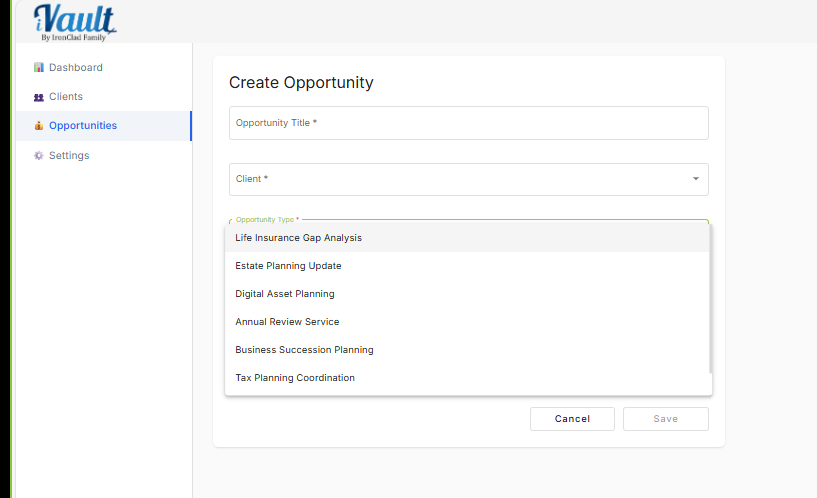
- Enter:
- Opportunity Title (clear and specific)
- Client (select the correct client)
- Estimated Value (use your chosen value method)
- Click Save.
How to write good opportunity titles
- Good: “Estate Plan Review and Update”
- Good: “Beneficiary Alignment Review”
- Bad: “Planning”
- Bad: “Client stuff”
Related articles
Was this article helpful?
That’s Great!
Thank you for your feedback
Sorry! We couldn't be helpful
Thank you for your feedback
Feedback sent
We appreciate your effort and will try to fix the article