This article explains what each dashboard metric means, how to read it, and what to do when it looks off.
Active Clients
What it means: the number of clients currently in progress.
What to do with it:
- High Active Clients but low Completion Rate usually means disengaged clients who need a nudge.
- Low Active Clients means your focus is onboarding new ones and activating existing ones.
Monthly Revenue
What it means: a revenue total as represented in your system. Your configuration determines whether this reflects actual revenue, projected revenue, or a pipeline-based total.
What to do with it:
- Use it to gauge whether your workflow is turning client data into real planning conversations.
- If the number looks wrong, check that your opportunity values are entered consistently.
Pick one definition of “value” and hold to it. What that means depends entirely on how you're paid — the tool doesn't assume a model:
- Fee-only: an expected planning or engagement fee
- Fee-based: a blend — planning fee plus any expected commission or product revenue
- Estate planners: the expected drafting or engagement fee for the work this client generates
- Ongoing/recurring: expected annual recurring revenue, if you bill that way
Completion Rate
What it means: how consistently clients are completing the vault journey.
Why it matters: completion is a leading indicator for retention, client satisfaction, referral likelihood, and opportunity discovery — the more a client fills in, the more planning conversations their data surfaces.
What those conversations look like: a completed vault puts concrete, planning-relevant facts in front of you — and these land the same whether you're fee-only, fee-based, or an estate planner, because none of them depend on selling a product:
- A beneficiary designation that conflicts with the will — captured on financial, life insurance, and crypto records. It's one of the most valuable things you can flag in a single meeting, and it costs the client nothing to fix.
- Records not assigned to any vault — information the client believes is protected but that would reach no one. Catching it is concrete, demonstrable value.
- Gaps in coverage — no will on file, no directive, no life insurance recorded, an unnamed guardian.
What to do when it's low:
- Go to Clients and sort by lowest progress.
- Intervene early: schedule a short completion call and remove friction.
- Use a concierge (done-for-me) approach for clients who won't self-complete — often the busy or lower-tech ones.

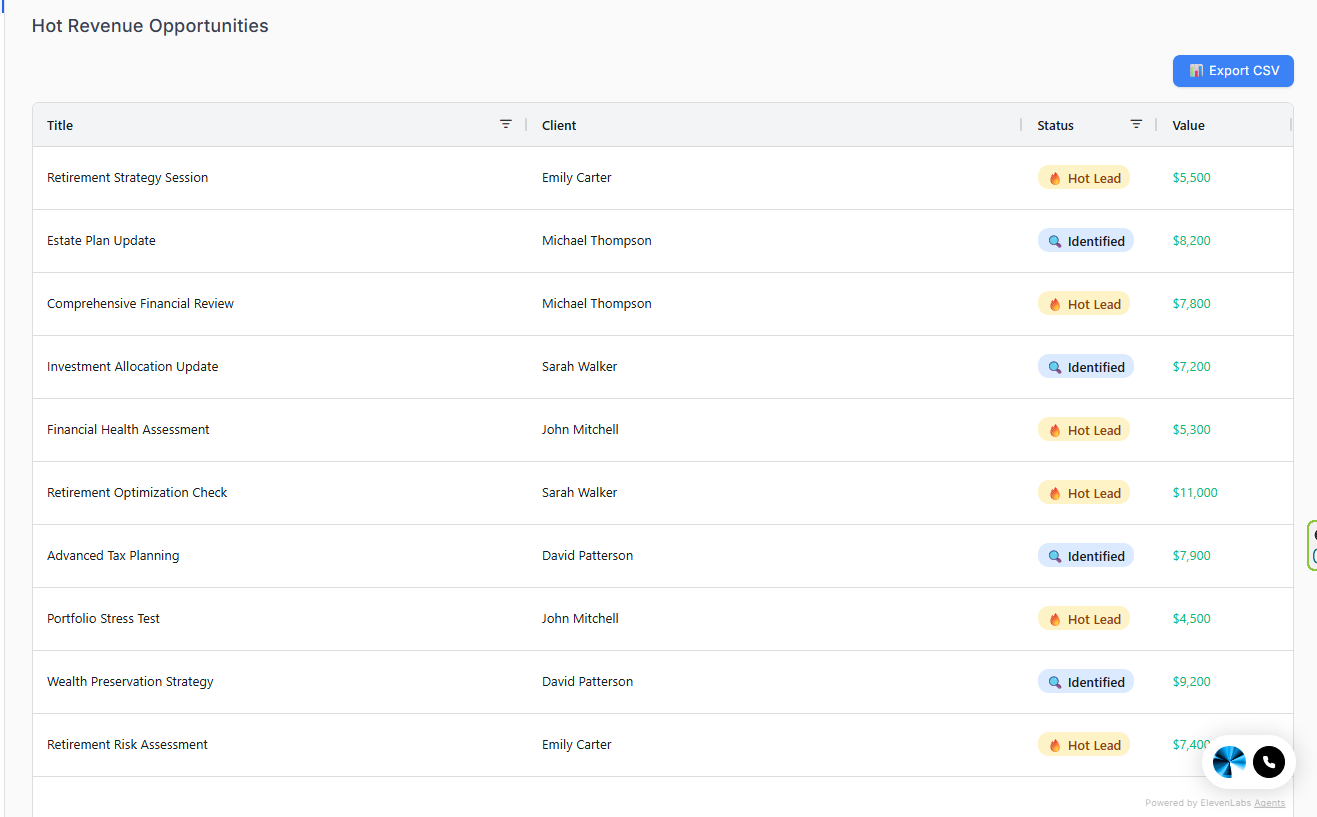
Hot Revenue Opportunities (table)
What it means: your highest-priority pipeline items — usually those closest to closing or needing immediate follow-up.
What to do with it:
- Pick the top 3 and advance them today.
- Move status forward when the client takes an action or you schedule a next step.
Related Articles
Was this article helpful?
That’s Great!
Thank you for your feedback
Sorry! We couldn't be helpful
Thank you for your feedback
Feedback sent
We appreciate your effort and will try to fix the article