IronClad Family includes a built-in Help & Getting Started guide — a help button in the header that links you to your key first actions. It can also appear on startup if enabled.
What you'll see
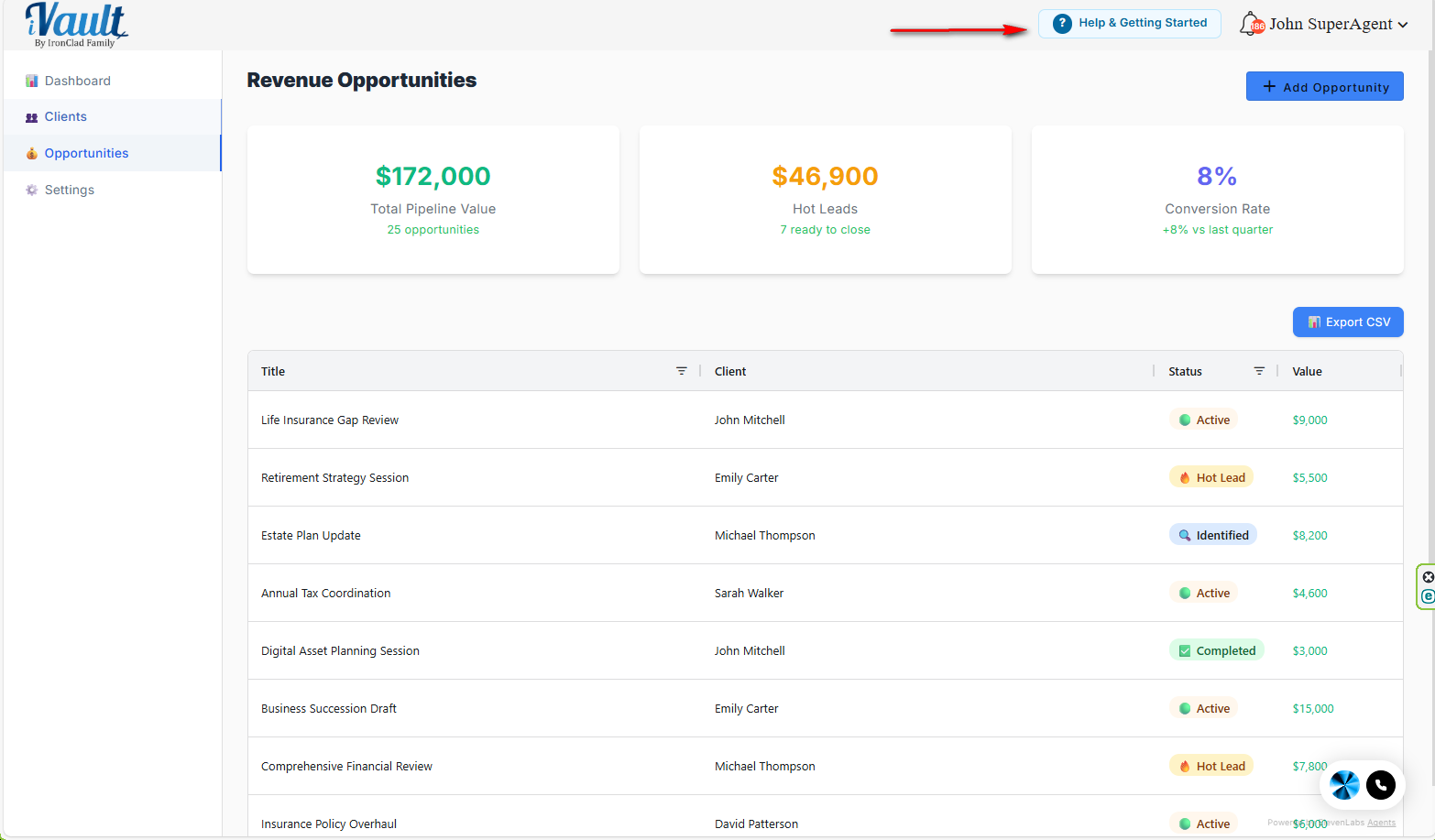
- Help button in the header: “Help & Getting Started”
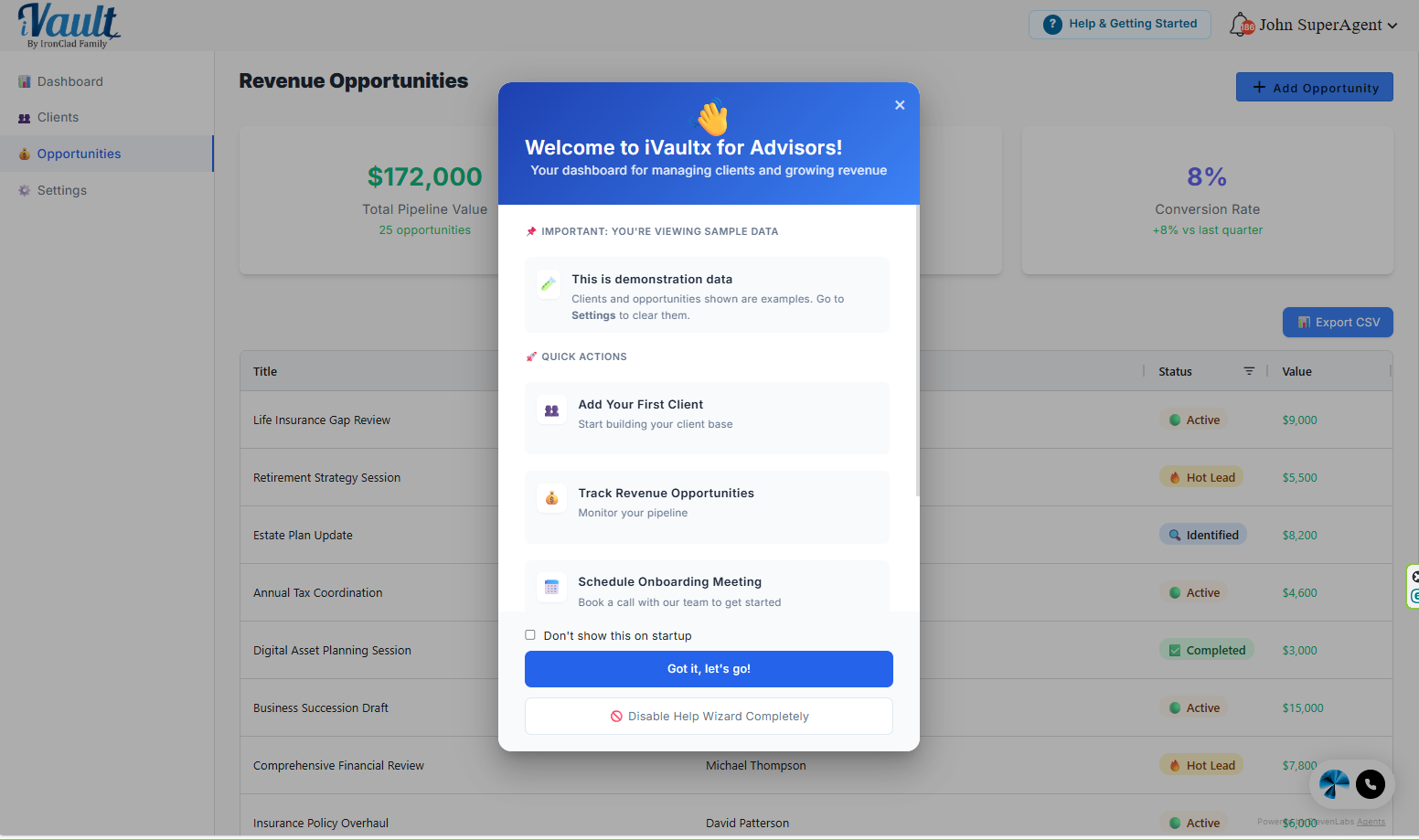
- Welcome guide: a pop-up with shortcuts to the key first-action steps (Clients, Opportunities, Settings, scheduling onboarding)
- Don't show on startup: stops the guide from appearing automatically each time
- Disable Help Wizard completely: hides the Help button until you re-enable it in Settings
What the guide links you to
The guide isn't a walkthrough that fills anything in for you — it's a set of shortcuts to where the real work happens. From it you can jump to:
- Clients — add and manage the people you're serving
- Opportunities — track your pipeline
- Settings — clear sample data, set preferences
- Schedule Onboarding Meeting — book time with the team
Expected behavior after you click Help
- The Help button becomes less prominent after first use.
- This is intentional — it reduces visual noise once you've found onboarding. The button stays available.
“Don't show this on startup”
If you check Don't show this on startup and close the guide:
- The welcome guide stops appearing automatically when you log in.
- The Help button remains available (unless you disable it completely).
To turn it back on:
- Go to Settings → Help & Onboarding
- Enable Show welcome guide on startup
“Disable Help Wizard completely”
If you click Disable Help Wizard completely:
- The Help button is removed from the header.
- The welcome guide won't appear on startup.
- You can re-enable it anytime in Settings.
To re-enable:
- Go to Settings → Help & Onboarding
- Enable Show Help Wizard button in header
Troubleshooting
- Help button missing: re-enable it in Settings → Help & Onboarding.
- Help button stopped pulsing: normal after the first click.
Need more than the in-app guide? This knowledge base has full walkthroughs for every part of the platform, and you can always reach a person at support@ironcladfamily.com or 1-786-360-1352.
Related Articles
Was this article helpful?
That’s Great!
Thank you for your feedback
Sorry! We couldn't be helpful
Thank you for your feedback
Feedback sent
We appreciate your effort and will try to fix the article