How to Change Your Password
Follow these steps to securely update the password for your IronClad Family account.
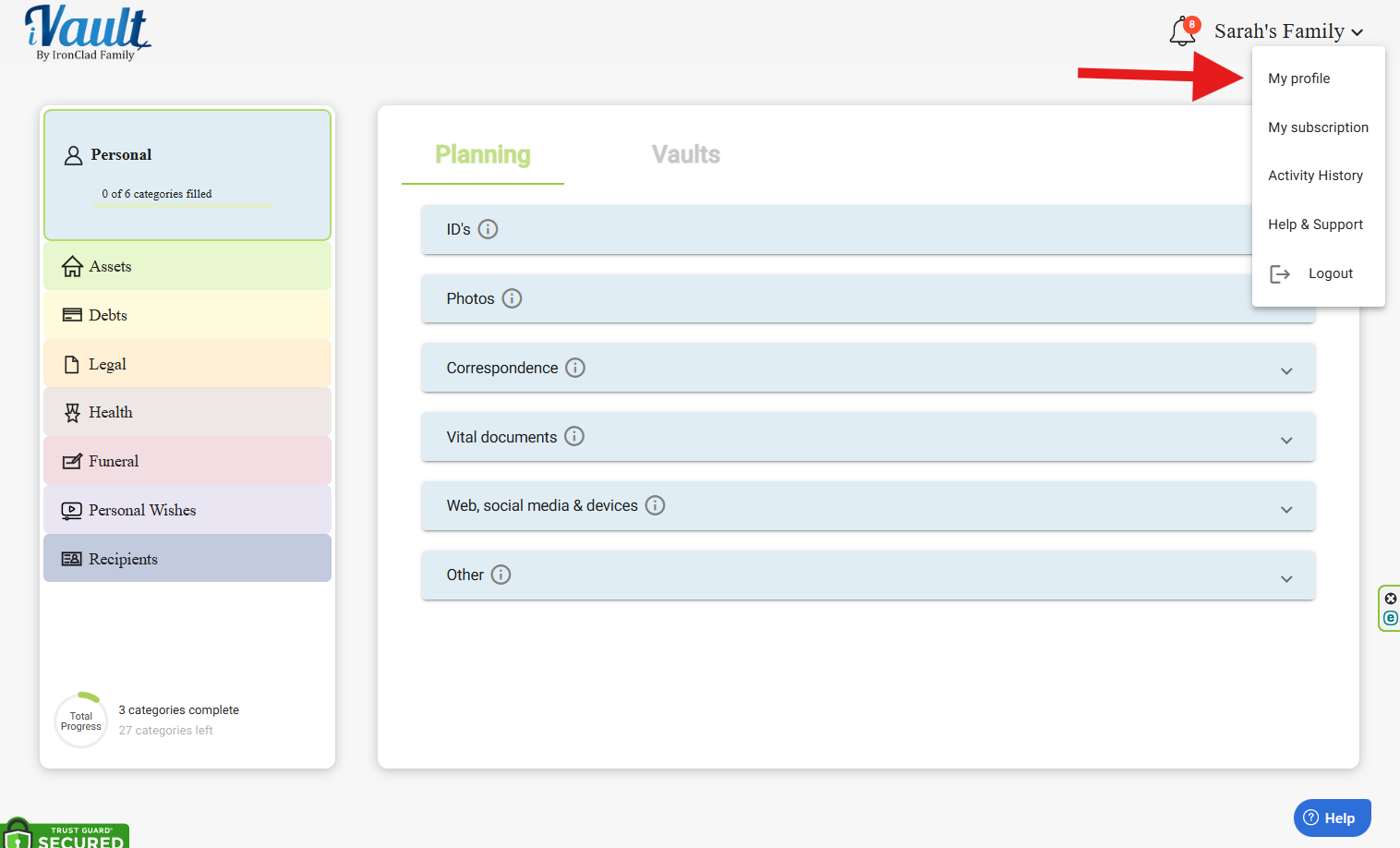
1. Go to Your Profile
- Click on your profile name in the top-right corner.
- Select My Profile.
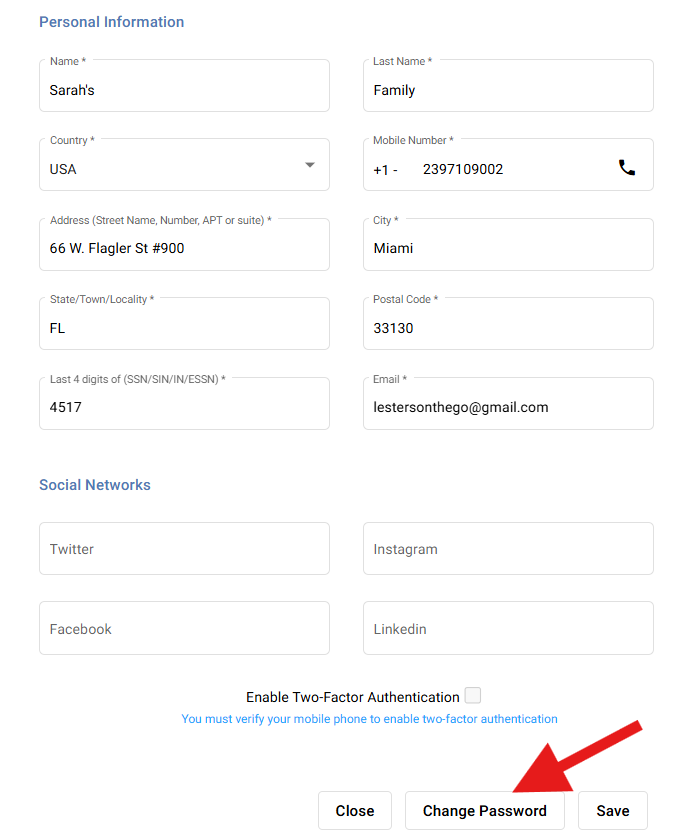
2. Open the Password Settings
- Click the Change Password button.
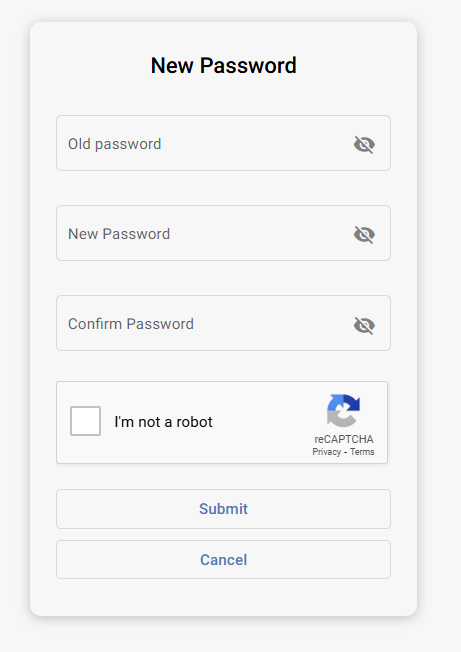
3. Change Your Password
- Enter your current password.
- Enter your new password twice to confirm it.
- Complete the Captcha verification.
- Click Submit.
Security Tips
Good to know: A strong password helps protect your vaults and personal data from unauthorized access.
- You can click the eye icon to view your password as you type.

- Use a strong password with a mix of:
- Uppercase and lowercase letters
- Numbers
- Special symbols
- Never reuse passwords from other websites.
Reminder: If you suspect someone else may have access to your account, change your password immediately.
Related Articles
Was this article helpful?
That’s Great!
Thank you for your feedback
Sorry! We couldn't be helpful
Thank you for your feedback
Feedback sent
We appreciate your effort and will try to fix the article