Canceling Your Subscription
You can cancel your IronClad Family subscription at any time from your account dashboard. Please read the important notes below before completing cancellation.
Important: Canceling your subscription will permanently delete your vaults, uploaded documents, recipients, and your entire account. This action cannot be undone for legal and security reasons.
1. Log In to Your Account
- Login using your email and password.
- Click Submit to access your dashboard.
2. Go to "My Subscription"
- Click your profile name in the upper-right corner.
- Select My Subscription from the dropdown.
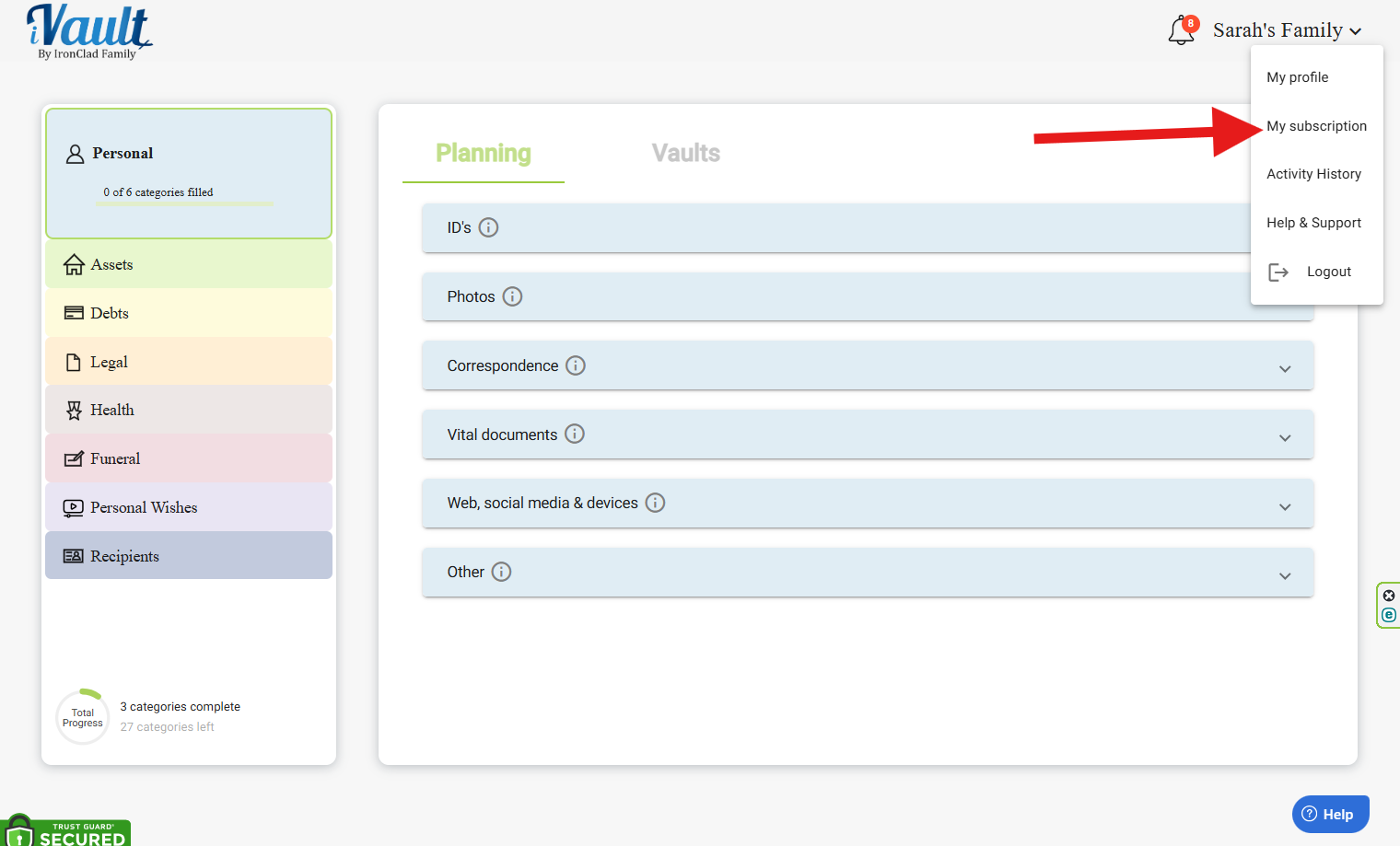
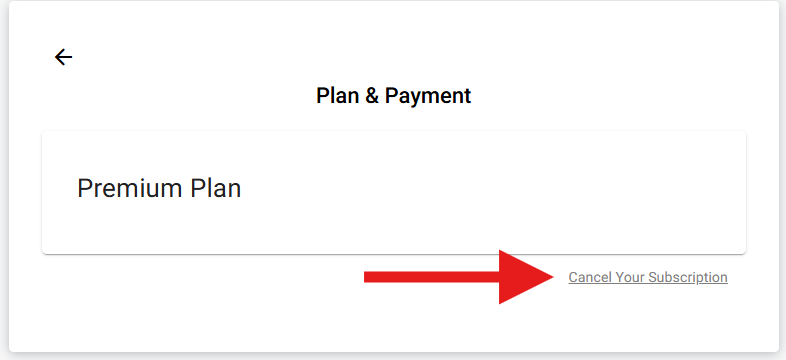
3. Cancel Your Subscription
- Click Cancel Your Subscription.
Critical Warning: When you confirm cancellation:
- All vault content will be permanently deleted.
- All recipients and delivery settings will be removed.
- Your login account will be deleted.
- This cannot be reversed for legal and security reasons.
- Follow the instructions in the confirmation prompts to complete cancellation.
Tip: Before canceling, you may want to download any important documents or export lists for your records.
Was this article helpful?
That’s Great!
Thank you for your feedback
Sorry! We couldn't be helpful
Thank you for your feedback
Feedback sent
We appreciate your effort and will try to fix the article