Creating and Maintaining a Digital Assets Codicil
Here's something most people don't find out until it's too late: a will can leave your entire estate to your spouse and still not give them the legal right to open your email account.
Federal privacy law treats your online accounts differently from your bank accounts. Without explicit written permission, the companies holding your email, your photos, your cloud storage, and your crypto are within their rights to refuse your executor — and many of them do, as a matter of policy. Families have spent months in court over a Gmail account.
A codicil is an amendment to an existing will. A digital assets codicil is the one that grants that permission in writing, in the language the law expects.
You can build one with the guided wizard, or record a codicil your attorney prepared. Either way it lands as a record in Legal › Last will, encrypted with your own keys, ready to assign to the same vaults that carry your will.
The Revised Uniform Fiduciary Access to Digital Assets Act — adopted in nearly every state — sets out when an executor may access someone's digital property. Its core principle: your written instructions come first. If you've said in a legal document who may access your accounts, that governs. If you haven't, the platform's own terms of service decide, and those usually say no.
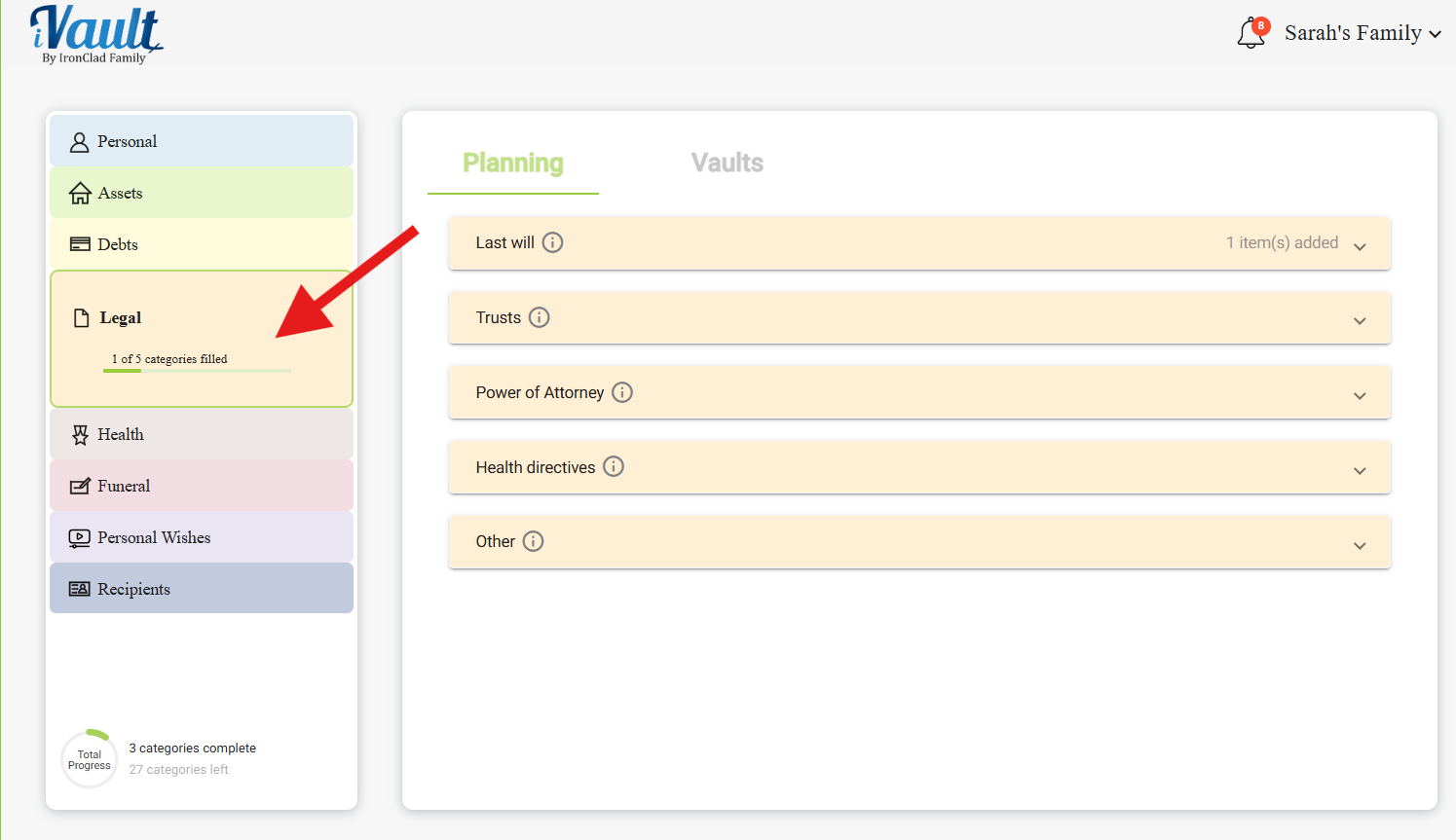
Step 1: Open the Legal section
Click Legal in the left-hand navigation, then open Last will. Codicils live here alongside your will rather than in a section of their own — which makes sense, since a codicil amends a will and the two should always travel together.
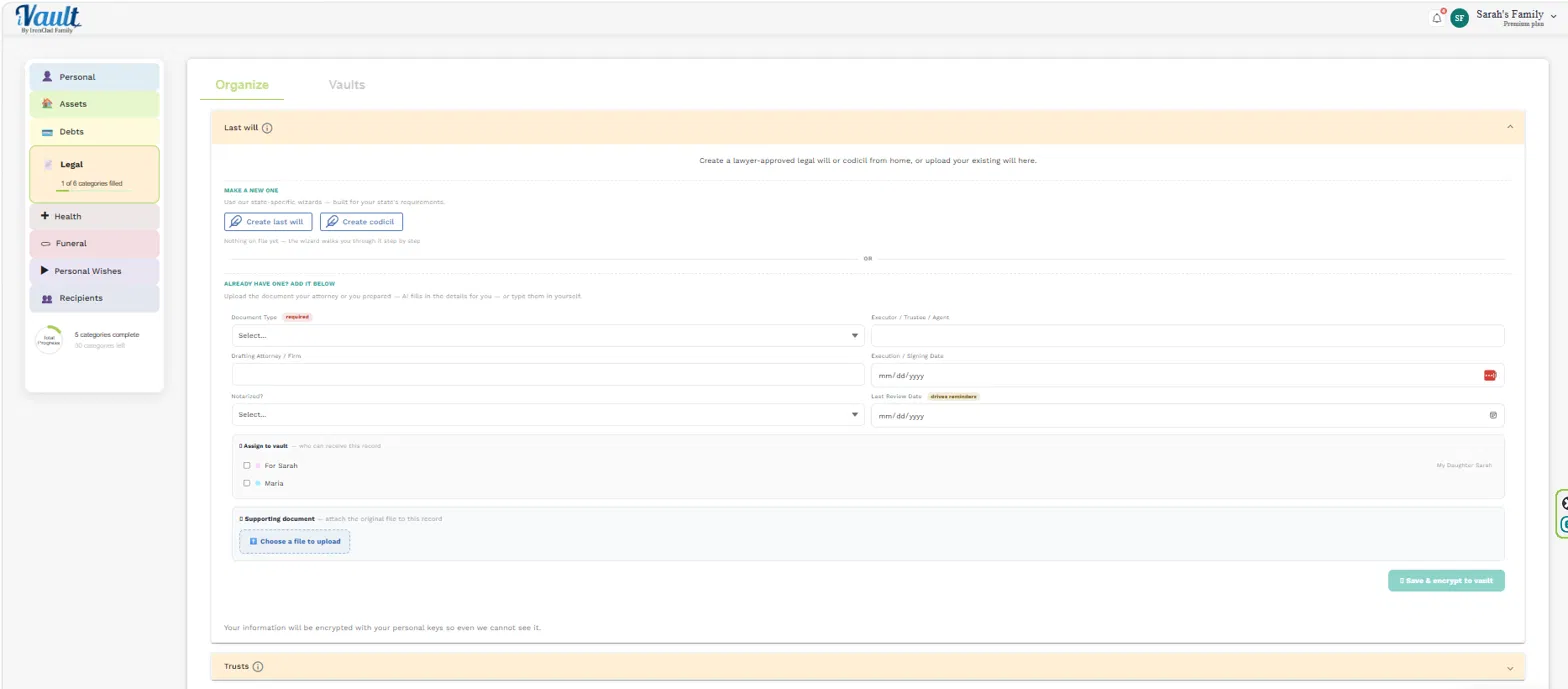
Step 2: Choose your path
Under MAKE A NEW ONE, click Create codicil to launch the guided wizard, built to your state's requirements.
If your attorney already drafted one, scroll past to ALREADY HAVE ONE? ADD IT BELOW and record it in the form instead.
Step 3 (Option A): Build a codicil with the wizard
Work through the questionnaire section by section. You can:
- Click Next to move forward
- Click Back to review previous steps
- Use the dropdown to jump between sections
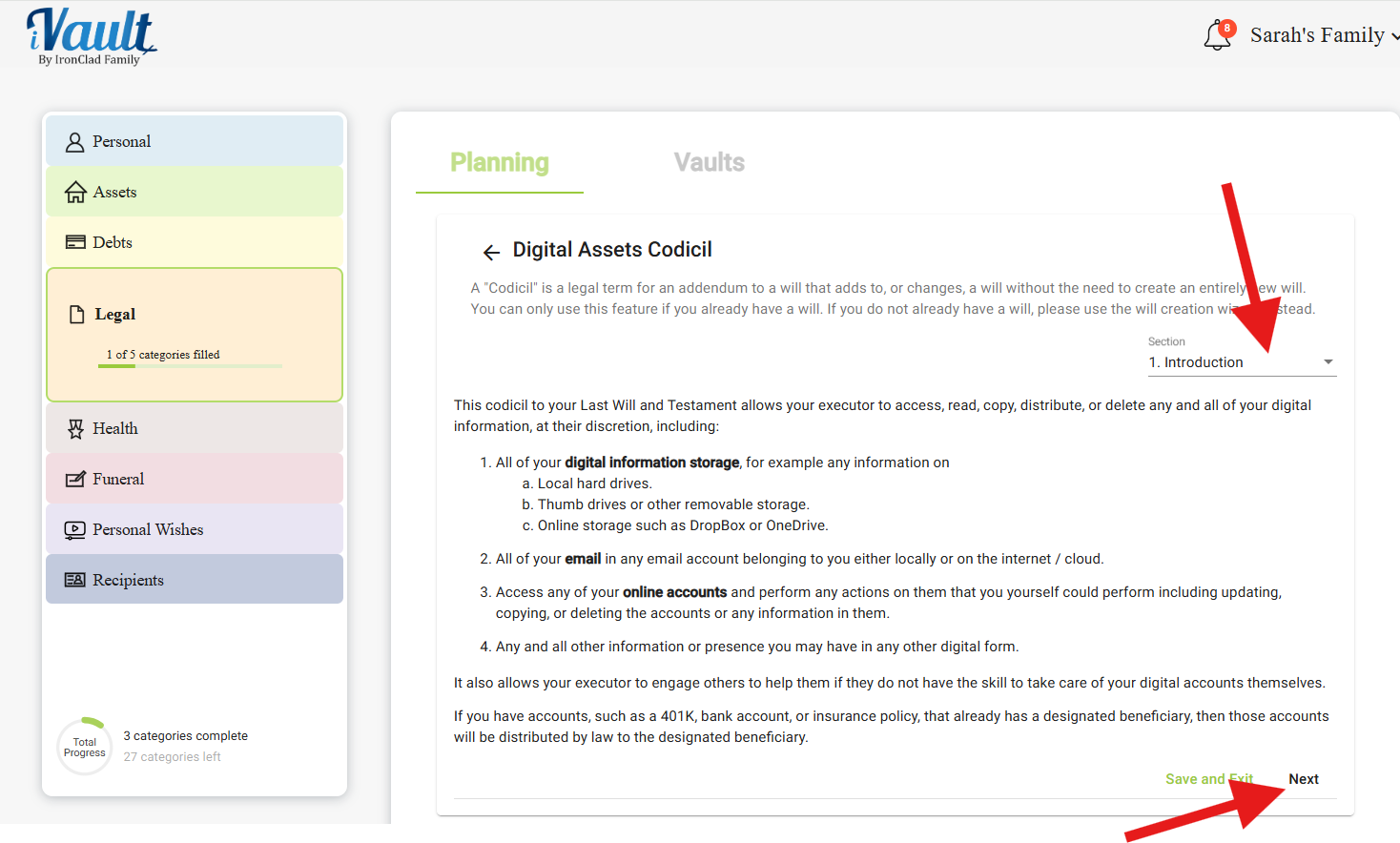
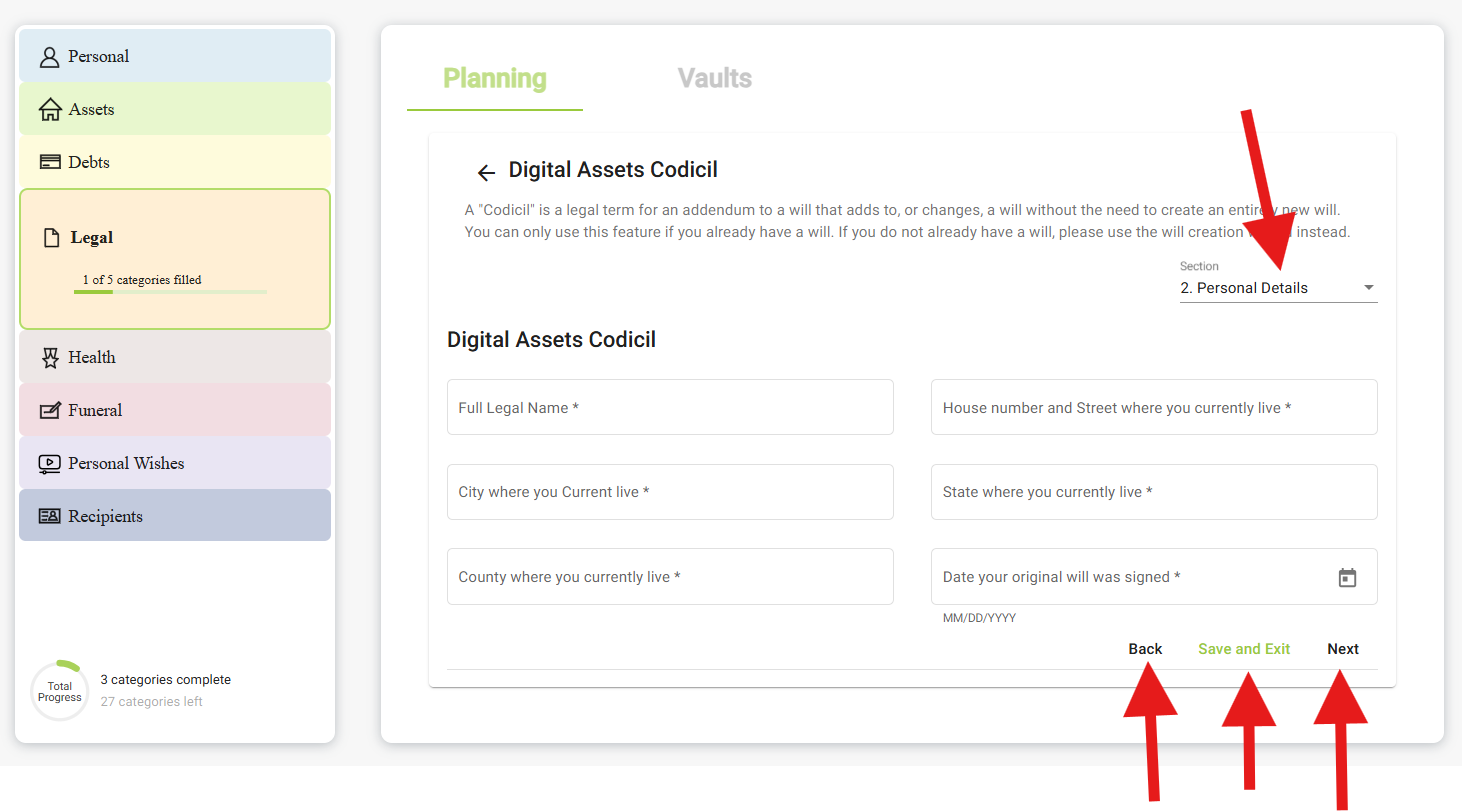
Save as you go, and use Save and Exit if you need to stop. You can resume any time.
What to have in front of you
The questionnaire will ask what digital property you hold. It helps to have thought about it first, because most people underestimate the list:
- Email accounts — start here. Email is the master key that resets the password on nearly everything else.
- Cloud storage and photo libraries — Google Photos, iCloud, Dropbox. Often the most emotionally valuable thing you own.
- Cryptocurrency and exchange accounts — no probate process exists for these; without access they're simply gone.
- Social media — and what you'd want done with each: memorialized, closed, or handed to someone.
- Financial apps and subscriptions — PayPal, Venmo, brokerage apps, anything billing monthly.
- Domain names, online businesses, loyalty points, digital royalties — real property that lives nowhere physical.
- Devices — phones and computers, and how to unlock them.
If you've already built records under Personal › Web, social media & devices and Assets › Crypto, you've done most of this thinking. Open those in another tab and work from them.
When you finish, you'll return to the main menu with confirmation your codicil has been created.
- Download the codicil
- Print and sign it following your local rules
- Have witnesses and a notary sign, if required
- Attach the executed copy back to your codicil record
Step 3 (Option B): Record a codicil you already have
Use the form under ALREADY HAVE ONE? ADD IT BELOW. It's the same form your will uses:
- Document Type (required) — select Codicil. This is what keeps it distinct from the will it amends.
- Executor / Trustee / Agent — the person this codicil grants digital access to. Usually the same executor named in your will; if it's someone different, that difference is exactly what your family needs recorded.
- Drafting Attorney / Firm — who prepared it
- Execution / Signing Date — when it was signed. For a codicil this matters more than usual: it must postdate the will it amends, and if you have several, the most recent governs.
- Notarized? — yes, no, or not sure
- Last Review Date — tagged drives reminders. Digital assets change faster than anything else you own; a yearly nudge is worth setting.
Then tick the vaults, attach the document under Supporting document › Choose a file to upload, and click Save & encrypt to vault.
Step 4: Assign it to the same vaults as your will
This one isn't optional advice — it's the whole point. A codicil that arrives without the will it amends is a page of instructions referring to a document nobody has.
In the Assign to vault picker, tick every vault your will is in. For most families that's the family vault and the estate or attorney vault. Open your will record and check its vault chips if you're not sure — then match them exactly.
Keeping it current
Your digital life changes more often than your physical one. Revisit the codicil when you:
- Buy, sell, or move cryptocurrency — especially between exchanges and hardware wallets
- Open a significant new account, or close an old one
- Start a business with an online presence, domain, or storefront
- Change who you'd want handling your accounts
- Update your will — the codicil should be reviewed alongside it
When it's updated, edit the existing record rather than adding a second one. Use the ⋮ menu › Edit details, update the execution date, and use Replace on the attached document to swap in the new signed version.
Multiple codicils with unclear dates is genuinely a legal problem, not just an organizational one — courts have to work out which governs. One record, one current version.
Related Articles
Was this article helpful?
That’s Great!
Thank you for your feedback
Sorry! We couldn't be helpful
Thank you for your feedback
Feedback sent
We appreciate your effort and will try to fix the article