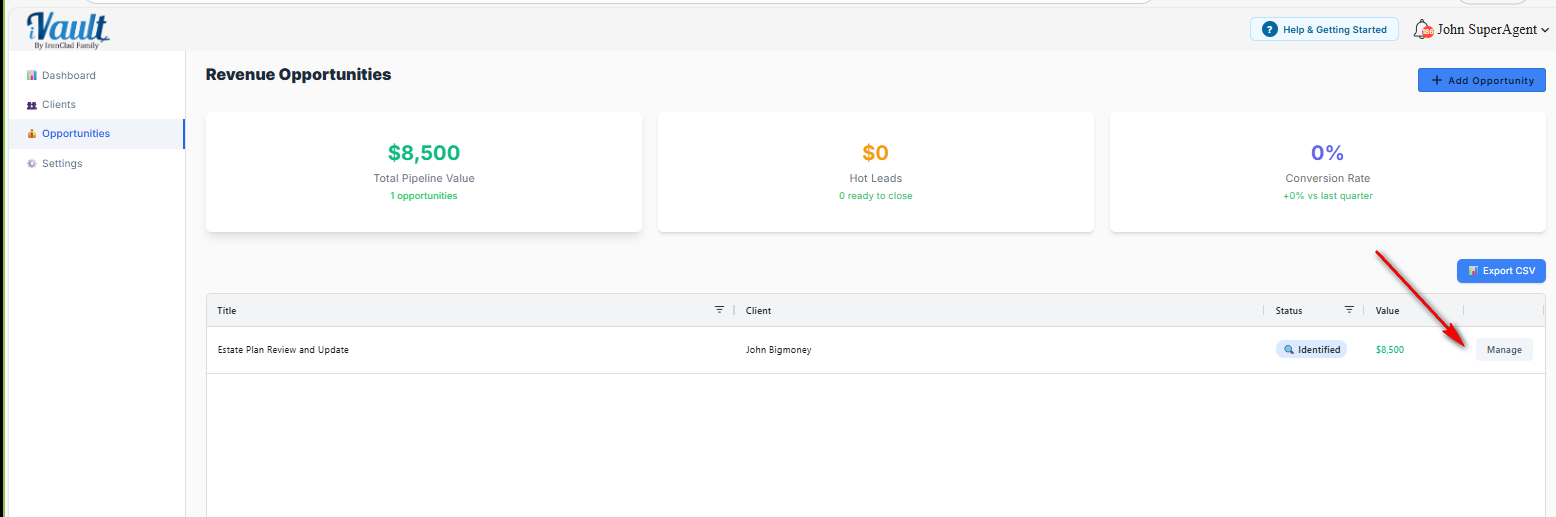
The Manage Opportunity screen is where you keep your pipeline accurate. Accurate pipeline tracking prevents forgotten follow-ups and makes dashboard numbers meaningful.
How to open Manage
- Go to Opportunities.
- Find the opportunity in the list.
- Click Manage.
What you can edit
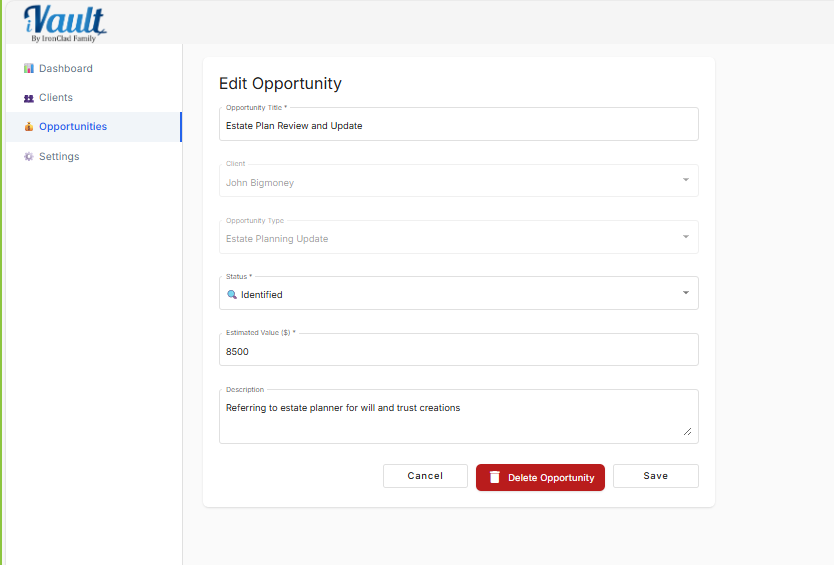
- Title
- Status (Identified / In Progress / Hot Lead)
- Value
Advisor best practices
- Update status immediately after a client action (meeting scheduled, documents received, decision pending).
- Keep value conservative so your pipeline reflects reality.
- Never leave everything as Identified. If you’re working it, move it to In Progress.
Related articles
Was this article helpful?
That’s Great!
Thank you for your feedback
Sorry! We couldn't be helpful
Thank you for your feedback
Feedback sent
We appreciate your effort and will try to fix the article