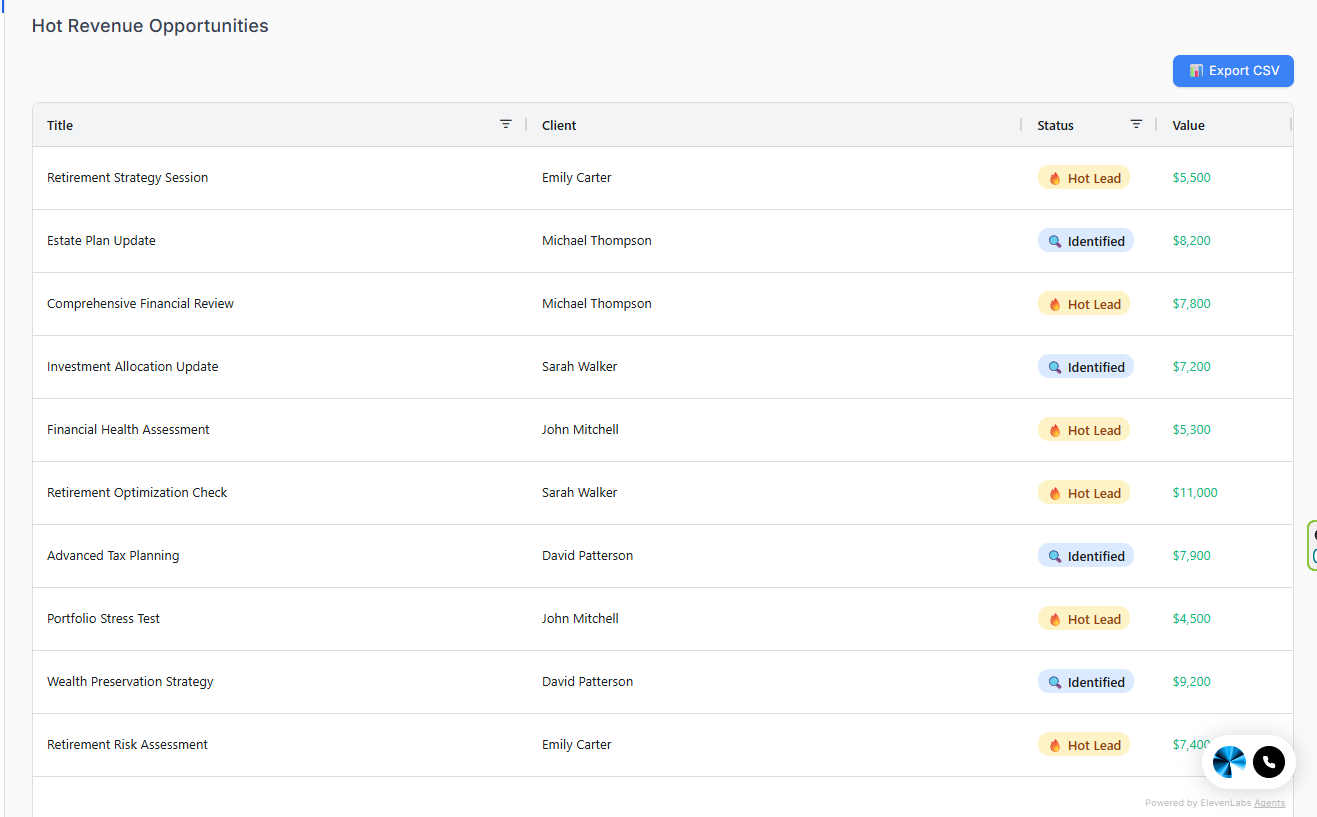
The Hot Revenue Opportunities table keeps you focused on the work most likely to close soon. Use it as your daily checklist.
What you're looking at
- Opportunity: the planning need or deal title
- Client: which client it belongs to
- Value: your estimated revenue value — defined however you're paid (a planning or engagement fee, a drafting fee, expected commission, or recurring revenue). Pick one definition and hold to it, so the totals mean something.
- Status: where it sits in your pipeline (Identified / In Progress / Hot Lead)
Where these opportunities come from
The strongest opportunities aren't guesses — they come straight out of what a client records in their vault. Two in particular surface reliably, and both work regardless of how you charge, because neither depends on selling a product:
- A beneficiary that conflicts with the will. Financial, life insurance, and crypto records capture the beneficiary the institution has on file — the name that legally overrides the will. A stale one (an ex-spouse, a deceased parent) is a concrete problem you can raise in a single meeting, and fixing it costs the client nothing. For a fee-only advisor it's demonstrable value; for a fee-based advisor it may open a policy review; for an estate planner it's a drafting conversation.
- A coverage gap. No will on file, no health directive, no life insurance recorded, an unnamed guardian, or records the client never assigned to a vault. Each is a real planning need, visible the moment the client fills things in.
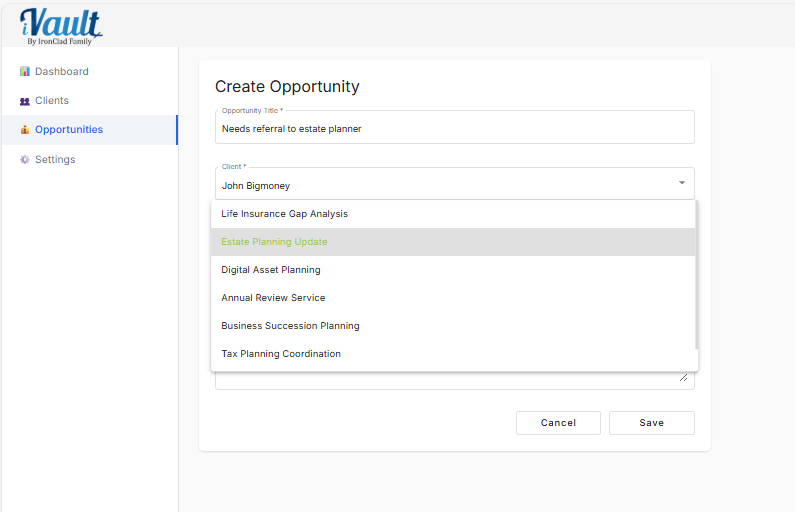
When you spot one of these, add it as an opportunity so it enters your pipeline rather than getting lost.
Status definitions (use these consistently)
Identified — you've spotted a need but haven't advanced it.
- Example: “Beneficiary on 401(k) doesn't match the will — needs review.”
- Next step: schedule a review call or request the missing information.
In Progress — you're actively working it.
- Example: “Client confirmed the outdated designation; correction underway.”
- Next step: book the decision meeting, finalize the work, or confirm the documents.
Hot Lead — the client is engaged and a decision is pending.
- Example: “Client asked for next steps, deciding this week.”
- Next step: same-day follow-up. Don't let it cool off.
Daily pipeline routine (10 minutes)
- Open the Hot Opportunities table.
- Pick the top 3 by urgency and value.
- Advance each one: book a meeting, send a request, or deliver the work.
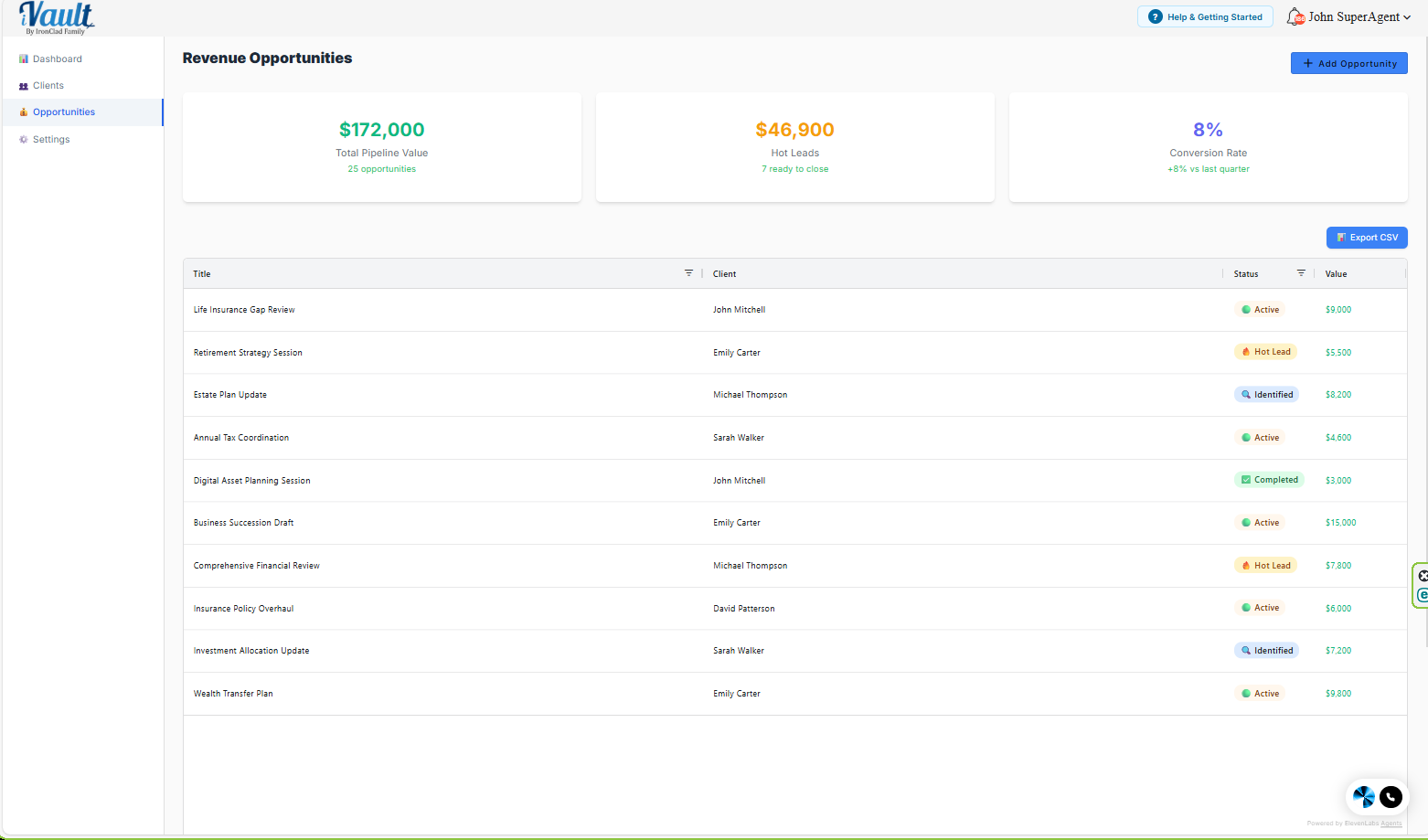
- Update the status on the Opportunities page so your numbers stay accurate.
Common mistakes
- Leaving everything as Identified: your pipeline stops meaning anything.
- Inflating values: your revenue reporting turns to noise. Use conservative, consistent estimates.
- No next action: a “Hot Lead” with no next step is wishful thinking.
- Treating a beneficiary or coverage gap as a task, not an opportunity: these are real planning needs — log them so they're worked, not just noticed and forgotten.
Related Articles
Was this article helpful?
That’s Great!
Thank you for your feedback
Sorry! We couldn't be helpful
Thank you for your feedback
Feedback sent
We appreciate your effort and will try to fix the article