How Your IronClad Family Emergency Card Kit Works
Your Emergency Card kit is designed to speak for you when you cannot speak for yourself. It gives first responders immediate access to your critical medical information — and a secure, privacy-protected path to your full health directive when it matters most.
What's in your kit?
- Your personalized Emergency Wallet Card
- Two windshield decals — place these on your car windows so first responders immediately know you are an Emergency Card Holder
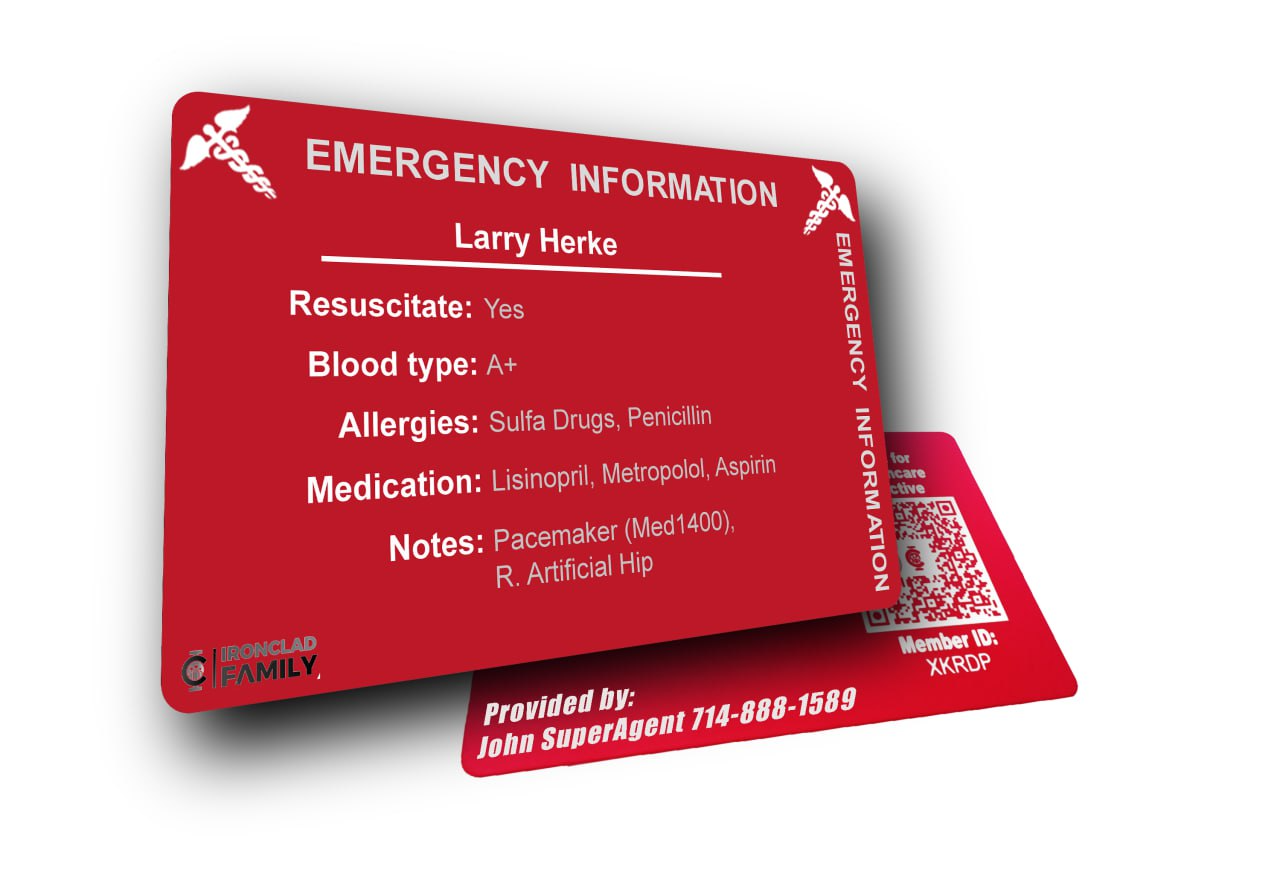
What's printed on your card
- Your full name and Member ID
- Resuscitation preference, blood type, allergies, medications, and medical notes
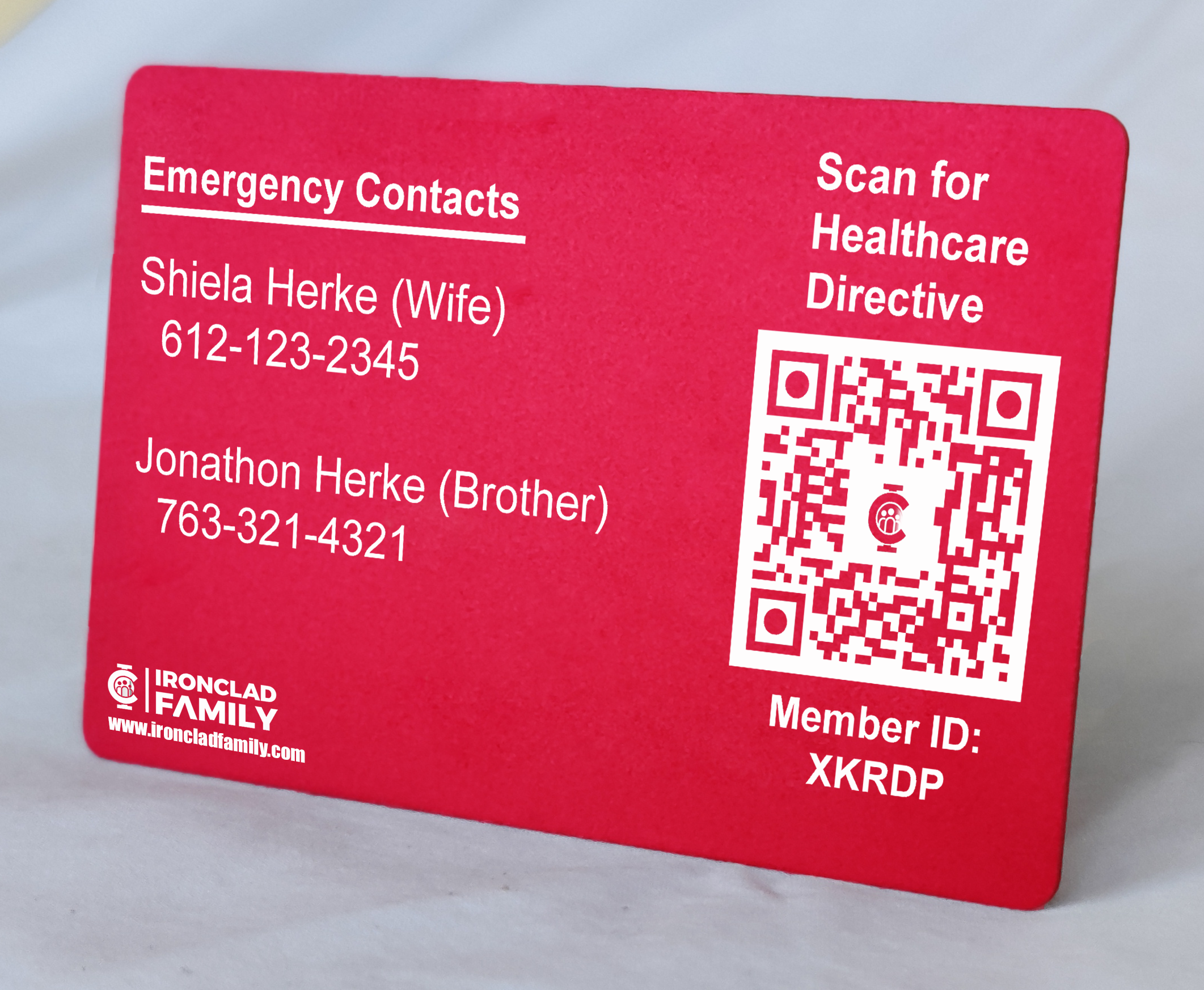
- Your two emergency contact names and phone numbers
- A QR code linking to your secure health directive portal
Where the card's information comes from
Your card is built from a record in your vault, under Health › Emergency wallet card. That record holds:
- Card holder (required) — whose card this is. Add a separate record for each person in your household who carries one.
- Blood type
- Critical allergies — the ones that change treatment. Penicillin, latex, shellfish, contrast dye.
- Emergency contact — who responders should reach
- Linked medical insurance — connects the card to your medical insurance record, so the carrier, member ID, and group number are on hand rather than being hunted for at admission
Keep the record current and your card stays accurate. Use the ⋮ menu › Edit details whenever medications, allergies, or contacts change — and order a fresh card if what's printed is now out of date.
How first responders use your card
The most critical information — resuscitation preference, blood type, allergies, and medications — is printed directly on the card so responders can act immediately without any extra steps.
For access to your full health directive, responders scan the QR code on the back of the card, which takes them to card.ironcladfamily.com/getmydirective. From there:
- They enter your Member ID printed on the card.
- The system displays up to three phone numbers: your primary mobile, Emergency Contact 1, and Emergency Contact 2 (plus your alternate number if provided).
- They select a number and a one-time verification code is sent to it — either to you directly or to one of your trusted emergency contacts.
- Once the code is confirmed, your health directive is securely released.
This verification step ensures your health directive is only released with active consent from you or someone you trust — protecting your privacy at the exact moment it's needed most.
Privacy and security by design
IronClad Family was built on the principle that your most sensitive information should never be freely accessible — even in an emergency. The QR code on your card does not link directly to your documents. Your health directive is protected behind a verified consent process, meaning no one can access it without the cooperation of you or your designated contacts.
Your privacy settings, legal documentation requirements, and personal permissions remain fully in place at all times.
✅ How to keep your card effective
- Place your decals on your windshield and rear window right away.
- Carry your card in a consistent place in your wallet so responders can find it quickly.
- Tell your emergency contacts they may receive a one-time verification code and what to do when they get it. A code arriving from an unfamiliar number, unexplained, at 2am, is a code that gets ignored — and that's the one moment it matters. Two minutes of conversation now.
- Review your card details at least once a year.
- Update the record in Health › Emergency wallet card whenever your medications, allergies, emergency contacts, or health directive change.
Important: The emergency wallet card does not automatically grant access to your health directive or vault. A one-time verification code must be confirmed by you or one of your emergency contacts before any directive is released. The card simply ensures first responders know critical information exists and have a clear, secure path to access it with your consent.
Your IronClad Family windshield decals
Your kit includes two IronClad Family Emergency Card Holder decals. Place one on your windshield and one on a rear window. These alert first responders at the scene of an accident that you carry an Emergency Wallet Card with critical medical information and a health directive.
The sooner a responder knows to look for your card, the sooner they can act on your wishes.
? See it in action
Watch this short walkthrough to see exactly how your Emergency Wallet Card works from the moment it's found by a first responder.
Related Articles
Questions? Contact us at support@ironcladfamily.com or call 1-786-360-1352.
Was this article helpful?
That’s Great!
Thank you for your feedback
Sorry! We couldn't be helpful
Thank you for your feedback
Feedback sent
We appreciate your effort and will try to fix the article